
Permissions Prerequisite: In order to assign filters to a product, you must be a Product Editor on the given Directory.
Note that the ability to edit the filter lists is a separate permission in the TMS.
Assigning Filters to a Single Product
- Go to a product's profile page
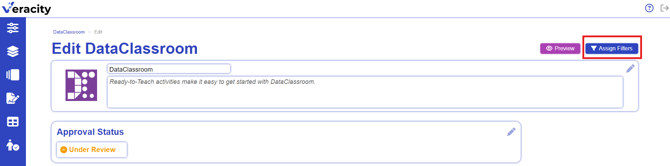
- Select the Edit button in the top right hand corner

- Select Assign Filters button
- On the left side of the screen, check the boxes for the filters you want to add to this product. Your selections will appear on the right side.
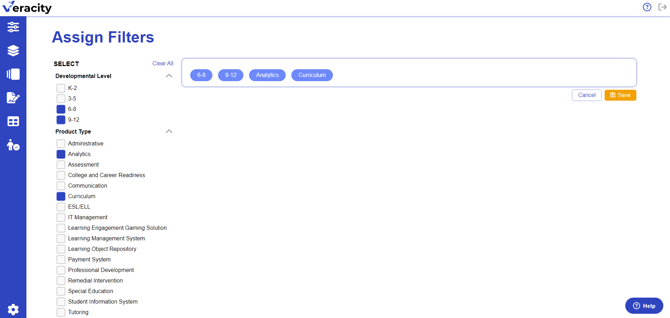
- Click Save
Editing Assigned Filters on a Product
To add or remove additional filters, you can return to this same process and check and uncheck boxes, as needed.